Start with a form.
Keep refining.
Primitives, points, edges and polygons. Extrude, inset, bevel and loop cut, with named commands and undo/redo.
 FuserInvitation access ↗
A DESKTOP STUDIO FOR YOUR NEXT DIMENSION
FUSER / PRIVATE EDITIONModel, material, light and motion.
A connected creative workspace,
built around your scene.
Model · Material · Light · Animate · Render
THE CREATIVE LOOP
Move from a primitive to a considered scene. Keep the tools close and the viewport in view.
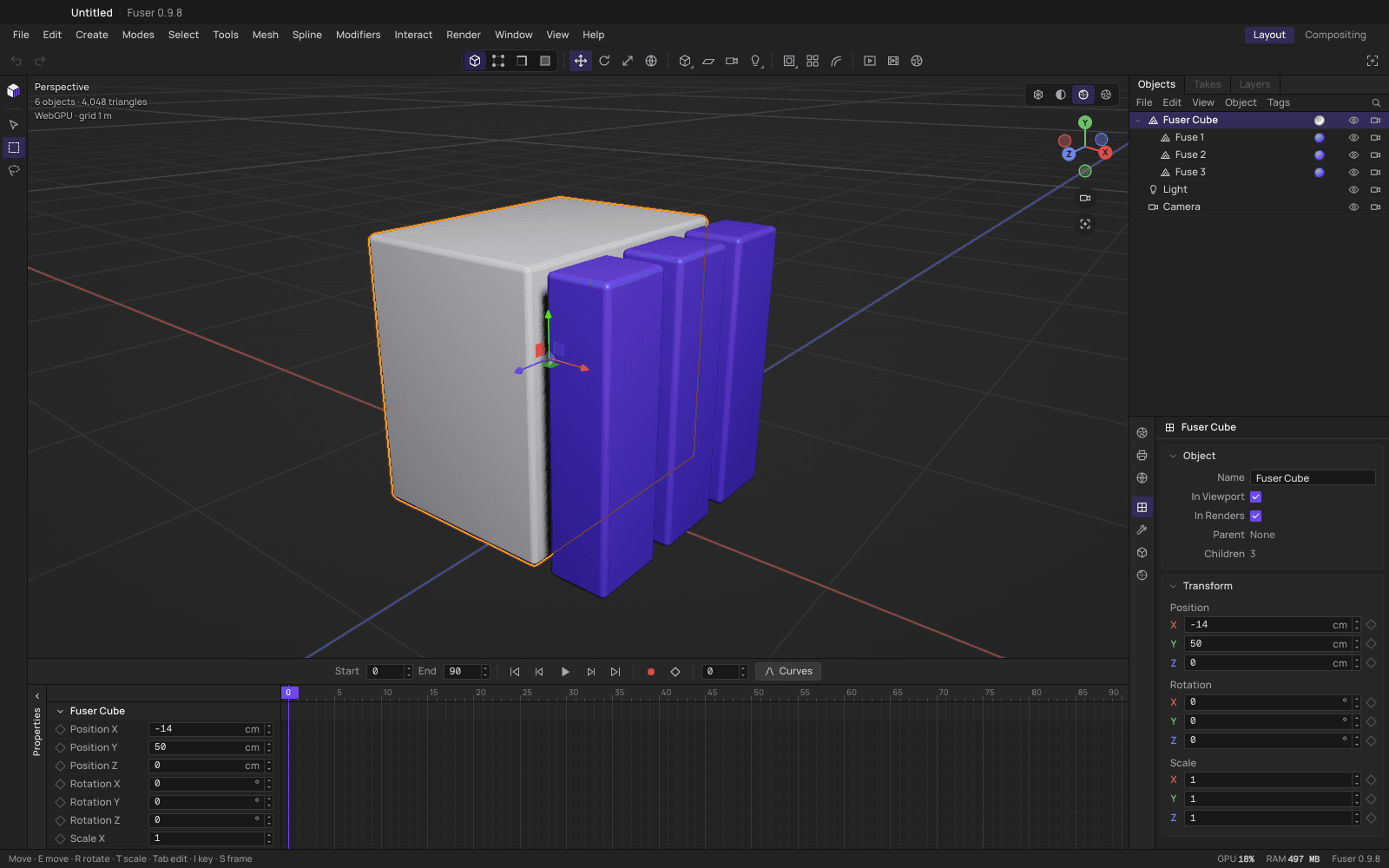
The real Fuser workspace: viewport, object hierarchy, transform controls and timeline.
Primitives, points, edges and polygons. Extrude, inset, bevel and loop cut, with named commands and undo/redo.
Physical, toon and unlit materials. Explore metal, glass, emission and fabric sheen with studio, sky or HDRI lighting.
Keyframe the scene, refine curves, compose cameras and render output. Save the work as a Fuser project.
A PERSONAL INVITATION TO CREATE
Fuser is available by invitation. Verify your code to download a private installer, then activate this installation in the app.
Request access from Mustafa ↗Checking private installer availability…
Your code is sent securely for verification. It is never added to a URL or saved by this page.FIRST THINGS FIRST
Your invitation grants access. Activation binds a signed lease to this installation.
01 / INSTALL
Download the matching private installer when available. On macOS, open the DMG and move Fuser to Applications. On Windows, run the installer and follow its setup steps.
These builds are not yet notarized with an Apple Developer ID. If macOS blocks a trusted download, review the warning in System Settings → Privacy & Security before choosing Open Anyway.
02 / ACTIVATE
Open Fuser while online and enter your invitation. The default allowance is two installations per invitation; Mustafa can set a different limit. Reinstalling or deleting app data may require a device reset.
03 / STAY IN FLOW
The app renews its signed lease while online. A lease lasts up to seven days, capped by your invitation expiry. Revocation takes effect on the next successful service check, or when the offline lease expires.
For a new private version, return here with your invitation. Public auto-updates are disabled in protected builds.
A FEW GOOD QUESTIONS
New private installers require a valid invitation and short-lived server authorization. The app separately requires activation. Request access by emailing Mustafa.
Fuser’s build configuration targets macOS Apple Silicon, macOS Intel and Windows x64. Only tested private installers enabled in the download selector are available. A configured target does not mean an installer has shipped.
After online activation, a signed lease allows up to seven days offline. Expired leases, changed installation keys or a detected clock rollback require an online renewal. First activation always requires internet access.
The default invitation limit is two installations. Contact support to revoke an old installation or reset a slot. Copying an installer does not transfer its activation.
Historical public releases remain accessible and do not gain these protections retroactively. Newly protected builds use private downloads and disable the public updater. No old release has been removed.
Core creation is local after activation. Optional AI Connection (MCP) is configured inside Fuser and requires a compatible client; never share its local authorization token.
TOOLS BY MUSTAFA KURD
Built by developers who care about the creative workflow.

Developer

Developer